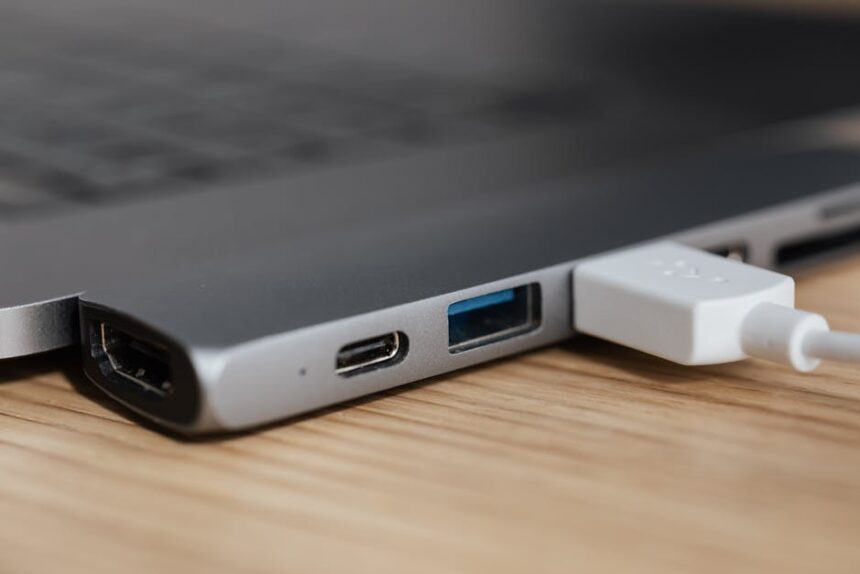
Modern laptops keep shrinking their port counts while peripheral ecosystems keep expanding — a tension that has made the USB hub a practical necessity for most mobile workers.
According to the report, USB hubs are small, portable devices that plug directly into a laptop port to deliver extra USB connections, SD card readers, headphone jacks, and other interfaces the host machine lacks. The distinction from docking stations matters: docks are desk-bound accessories built around multiple monitor outputs, Ethernet, and dedicated power supplies. Hubs are designed for portability and on-the-go connectivity, though models with USB Power Delivery passthrough charging do double duty at a desk by keeping a laptop charged while accessories are connected.
What to Understand Before Buying
The report flags several technical points that determine real-world performance. Port version numbers are an unreliable guide to speed — a USB 3.2 label does not automatically mean faster throughput than USB 3.0 — so buyers are better served looking at the actual transfer speed printed on the device itself. For data-intensive peripherals such as external SSDs or high-resolution displays, Thunderbolt remains the correct interface: Thunderbolt 3 and 4 each support up to 40 Gbps, while Thunderbolt 5 is now beginning to appear in newer laptops. The technology was developed by Intel and Apple and uses the same physical USB-C connector, but requires host-port compatibility to unlock those speeds.
Power is a separate consideration. Most hubs draw electricity directly from the host laptop, which imposes a load on the battery. Hubs with USB-PD passthrough charging resolve this by accepting a charger through one of their own ports, keeping the laptop powered while the hub itself handles connected accessories.
The Recommended Models
After testing across multiple years, the report settles on four primary picks at distinct price points. The Plugable USB-C 9-in-1 Hub (USBC-9IN1E) is named best overall at $50. The Hiearcool USB-C Multi-Port Adapter takes the budget position at $20. For users fully committed to a USB-C workflow, the Satechi USB-C Multiport 8K is recommended at $100. Users who want integrated storage expansion are pointed toward the Satechi USB-C Hybrid Multiport Adapter, currently available at $63 after a 30 percent discount from its $90 list price.
The list was updated in February 2026, with the HyperDrive Next Mobile Dock and Kensington Triple Video Dock added to honorable mentions as the field was otherwise narrowed.

For those whose needs exceed what any hub can deliver — regular multi-monitor setups, high-powered peripheral arrays, or persistent desk configurations — the report directs readers toward dedicated docking stations, which carry higher price tags but provide the power supply and display output density that hubs are not designed to match.
Photo by www.kaboompics.com on Pexels
This article is a curated summary based on third-party sources. Source: Read the original article